After the agent finishes editing
An agent changes the code. I still need to read the diff, decide what belongs in the commit, and deal with conflicts. That’s the part of my daily workflow I built VimDesk around.
My workspace often has several sibling Git repositories. A backend change and a frontend change can be part of the same task, but they still need separate Git operations. I wanted them in one Neovim session, with visible controls alongside the keyboard commands.
VimDesk is a complete Neovim configuration. The custom work is mostly Lua: repository routing, sidebar panels, review windows, and the state that connects them. Existing plugins handle things such as completion, language servers, and the broader Git overview.
One workspace, several repositories
Open a parent folder and the Git sidebar lists its repositories. Selecting a repository shows its changes; the branch badge opens branch switching. Git actions use the selected repository, while file-specific shortcuts resolve the repository of the current buffer.
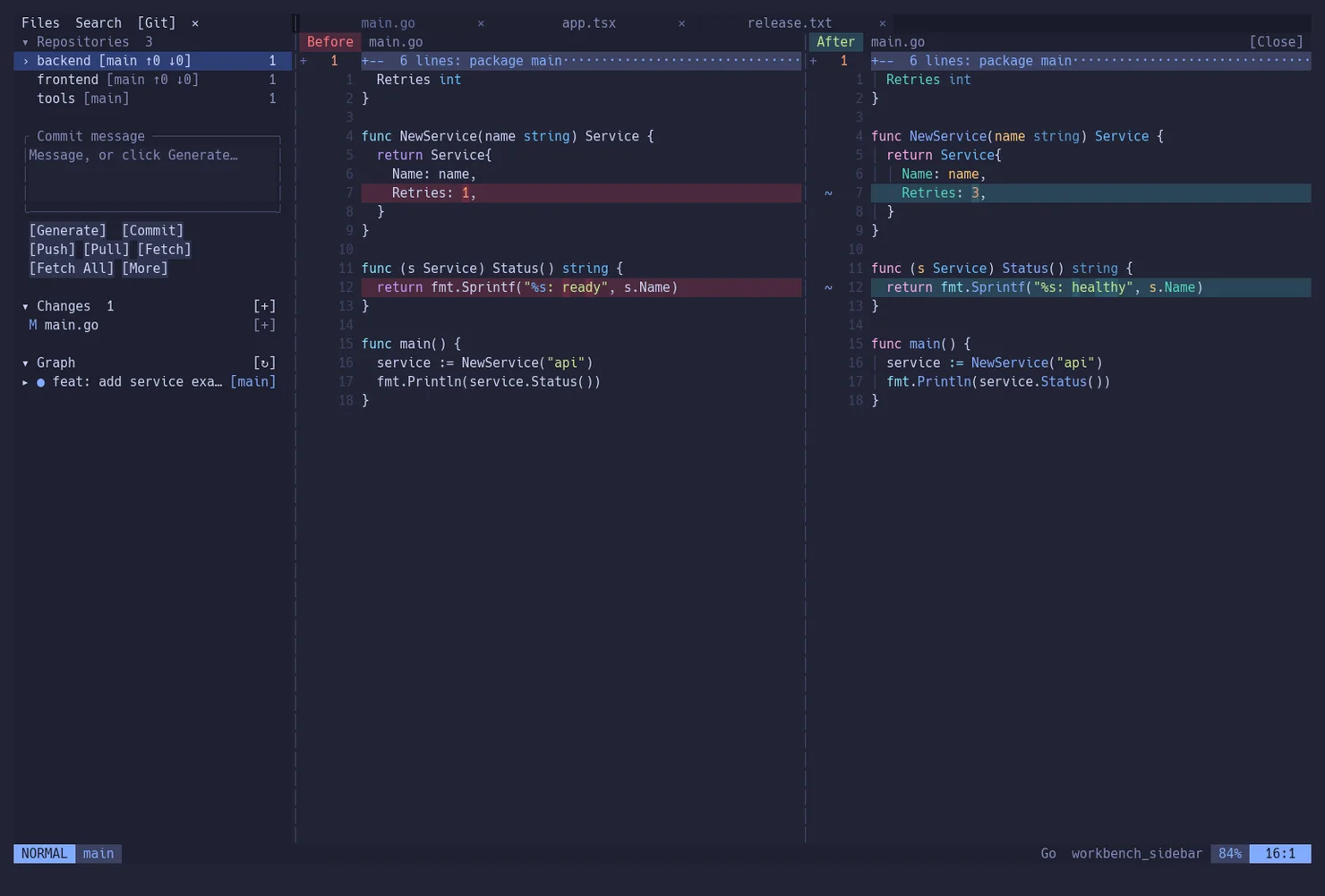
A disposable practice workspace. The sidebar keeps repository context visible while the review uses ordinary Neovim splits.
The parent workspace directory stays stable as you move around. Language-server roots, terminals, and Git subprocesses resolve their own child repository. Keeping those concepts separate matters: choosing a different repo shouldn’t quietly move the whole editor’s working directory.
Reading a change without rearranging the editor
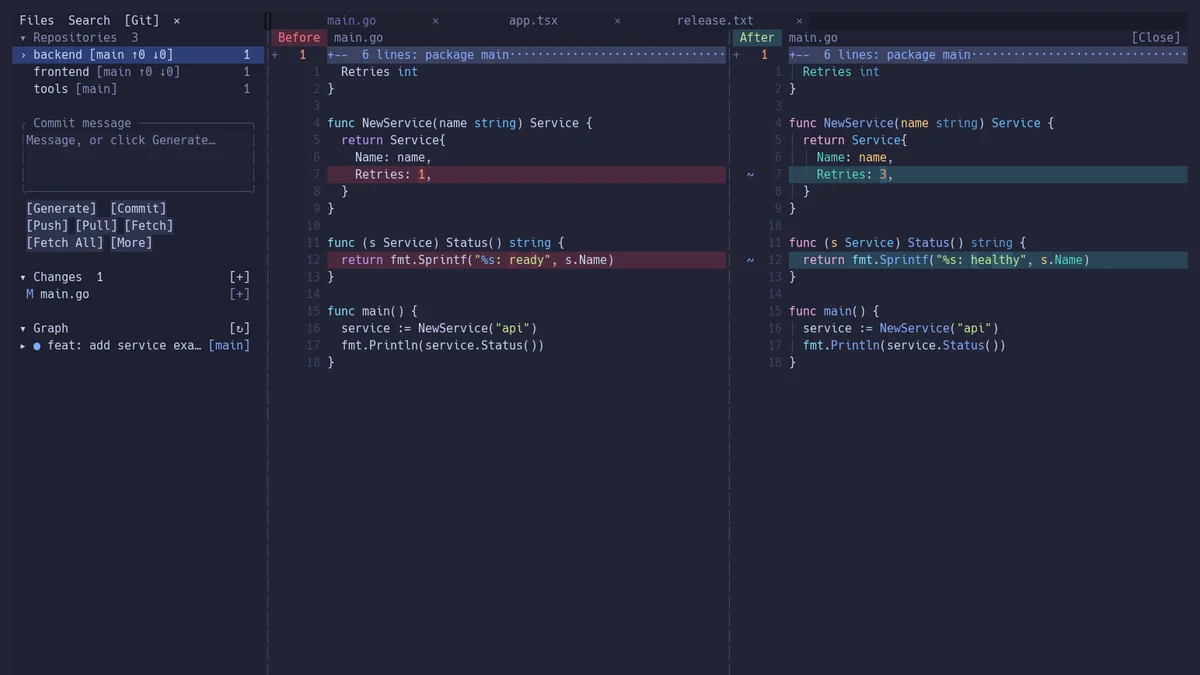
Clicking a changed file opens Before and After. Selecting another file reuses those panes, and commit history can open an older revision in the same place. The working side uses the actual file buffer, so editing it doesn’t create a detached copy to reconcile later.
Conflicts need a different view: Incoming on the left, Current on the right, and an editable Result below. Native window dividers let you give the result more room.
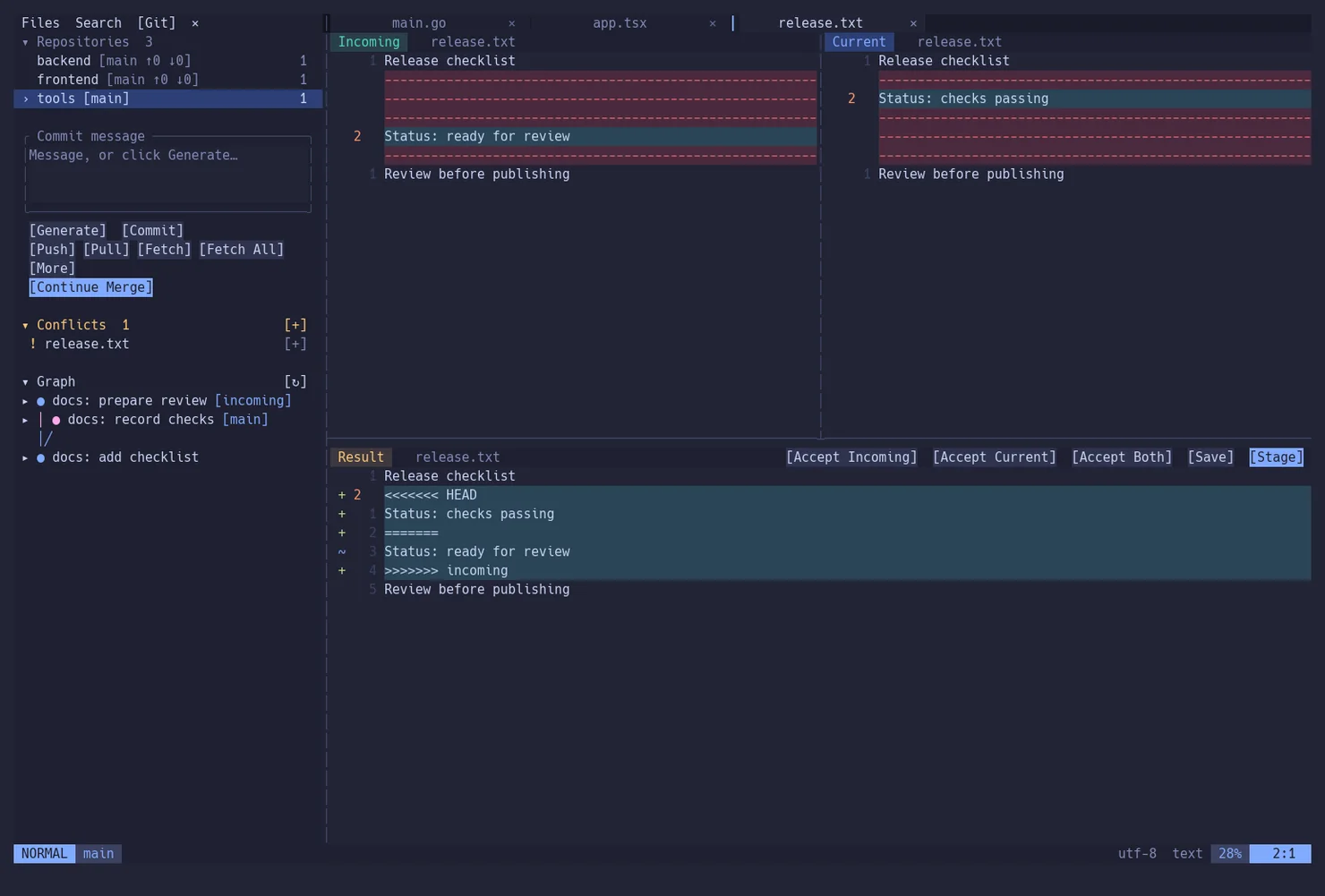
The result stays editable. Accepting either side is a starting point for resolving the file, not the end of the review.
The same preference for explicit review carries into search and replace. You can search across repositories, include ignored files, and preview replacements before applying selected files. Saving is a separate action.
Drafting the commit message
The commit field can ask Codex or Claude Code for a Conventional Commit subject from the staged diff. A small Python adapter calls the locally installed provider CLI. You can edit the returned message before committing.
There are a couple of details here that are easy to miss. A response has to return to the repository that requested it, even if you’ve switched repositories meanwhile. It also mustn’t overwrite a message you’ve since edited. If the staged snapshot changes, the old draft is invalidated.
Generating a subject doesn’t commit or push. Those are separate controls, and AI generation is optional.
Trying it alongside your own setup
VimDesk installs as a separate profile with its own launcher, backups, and state. That makes it possible to try the workbench while keeping your usual Neovim configuration.
The tradeoff is that this is a full profile, rather than a plugin that fits every existing setup. Terminal mouse behavior and shortcuts still depend on your terminal. macOS is tested; Linux and WSL instructions are available, but haven’t been validated end to end. Native Windows isn’t supported.
Follow the installation guide or read the architecture notes.