Finding the issue is only the start
An issue can have a beginner-friendly label and still be a poor place to start. Someone might already be working on it. The repository might need a setup you haven’t used before. Sometimes the useful context is halfway down the discussion.
I built FirstPatch to put more of that context beside the search results. It combines public project directories with checked GitHub issue metadata, so you can find a codebase, narrow down the tasks, and follow the original discussion before committing to one.
The project covers the directory, data import scripts, and an optional personal workspace. Browsing stays open to everyone. An account becomes useful when you find something you want to return to.
A directory you can narrow down
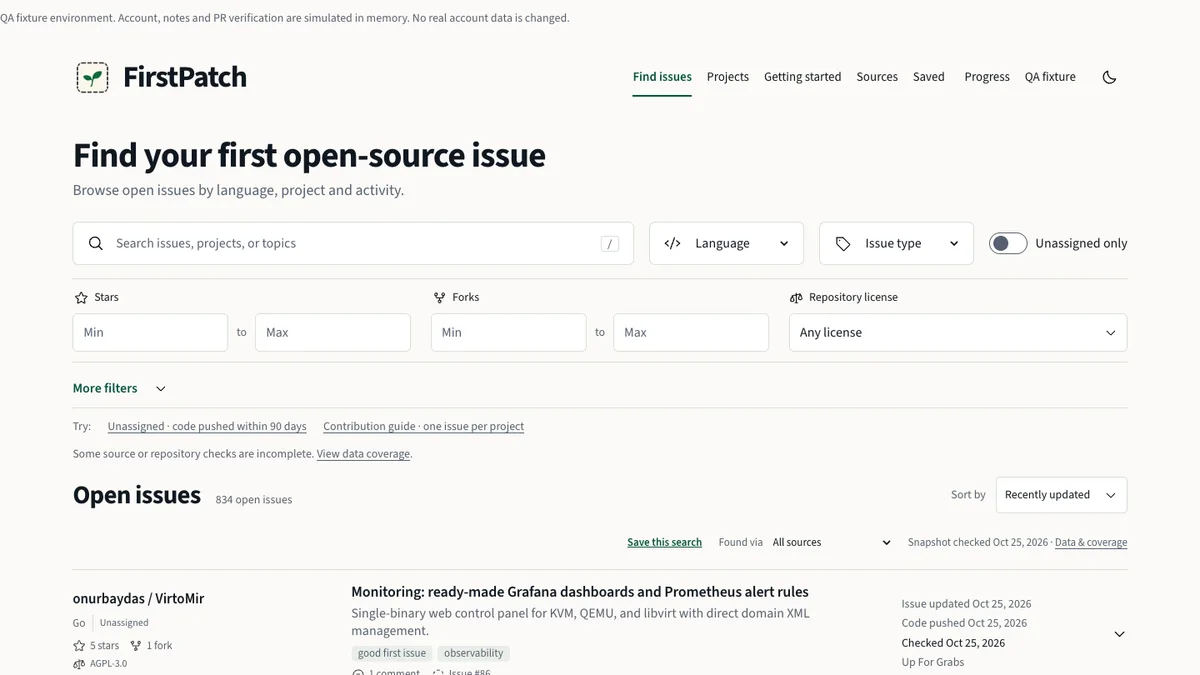
Search by project or topic, choose a language, then filter by assignment, activity, or contribution guidance. Repository filters include stars, forks, and detected license. There’s also a project directory for people who would rather pick a codebase before picking a task.
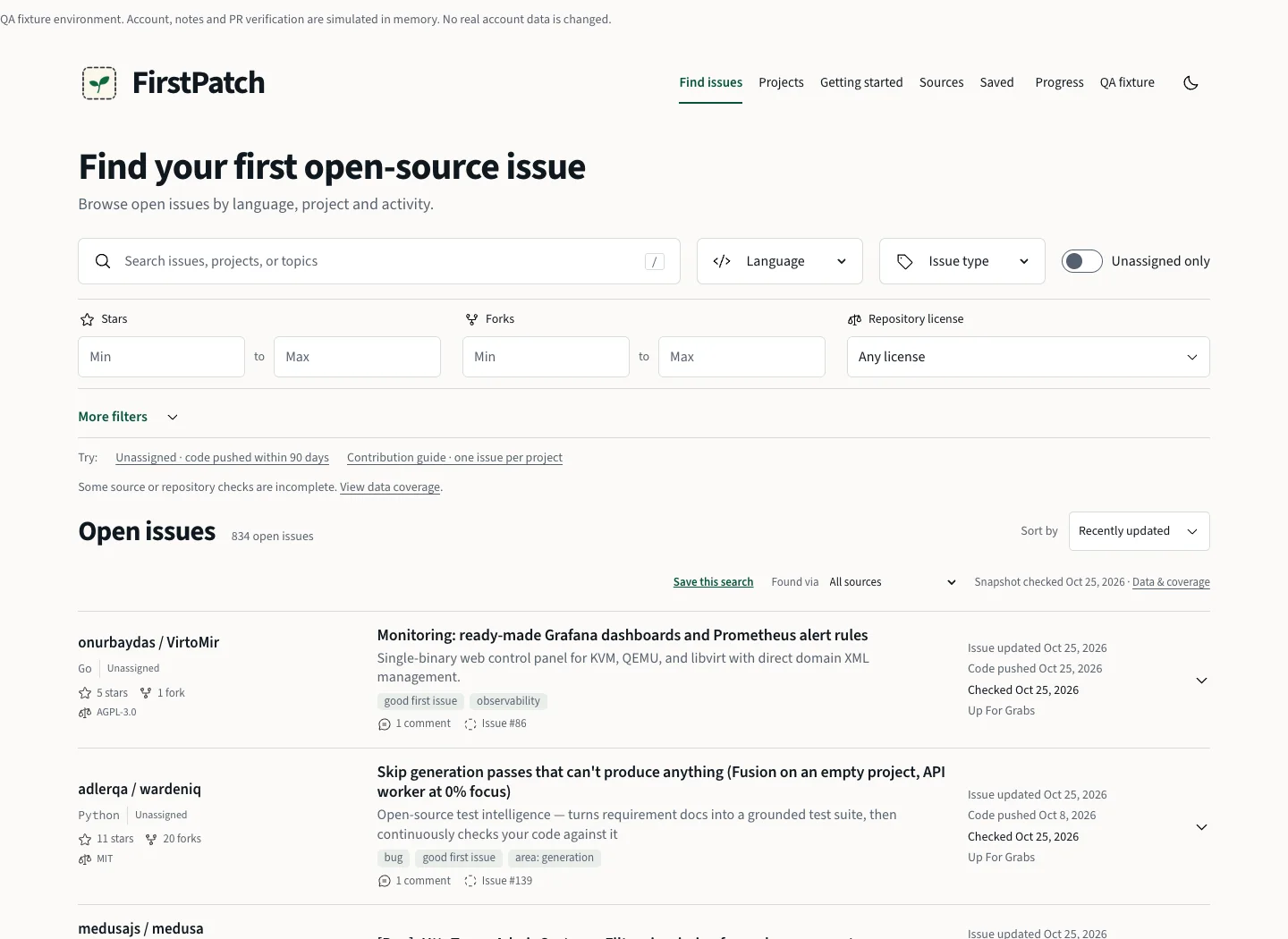
The directory keeps filters, source coverage, and the snapshot date beside the results. Counts describe the captured snapshot.
Filters are reflected in the URL, so a search can be bookmarked or shared. The initial results and pagination are real HTML, too. JavaScript makes filtering more convenient, but public browsing doesn’t start with an empty app shell.
Somewhere to leave your work
Finding an interesting issue doesn’t always mean starting immediately. The Saved page gives it a place to wait, with a private note and a personal status such as saved, in progress, or archived. Search presets let you keep the filters you use often.
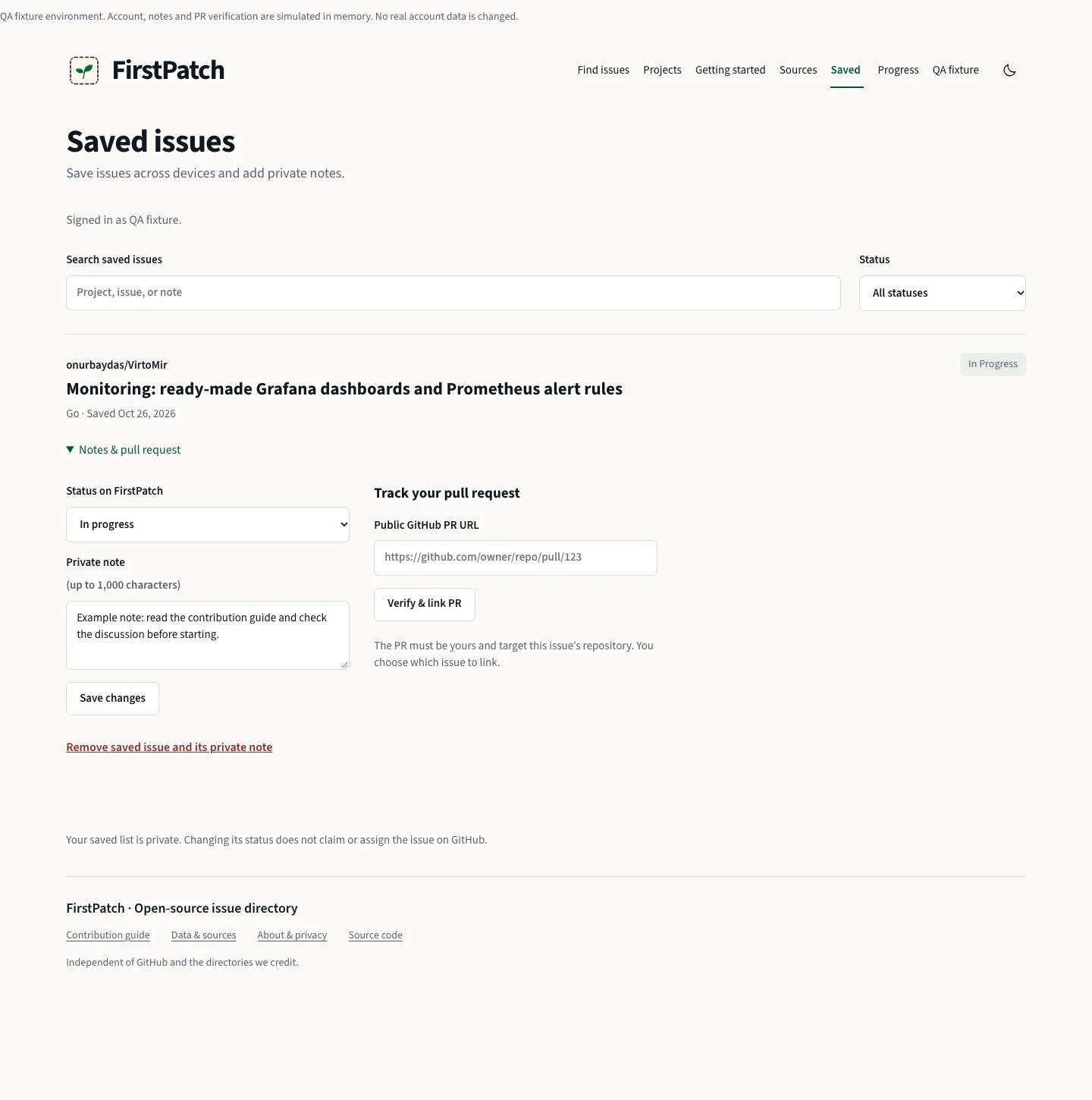
A local QA workspace with simulated account data. The note and status belong to the user’s shortlist; they don’t update GitHub.
You can link a public pull request to a saved issue and follow its status from Progress. The service checks authorship and the target repository. The relationship between that PR and the issue is supplied by the user; FirstPatch doesn’t infer it from a similar title. It doesn’t import your entire GitHub history either.
Keeping public data and private notes apart
The public directory is generated by Node.js scripts and served through Cloudflare Pages. Scheduled jobs collect permitted catalogue data, check issues through GitHub’s API, and publish validated snapshots. Sources are credited, and the import respects which catalogues can be reused.
Freshness needs to be visible. If a source fails, the importer retains its last successful records and reports the partial refresh. It doesn’t make old data look newly checked. A beginner label describes maintainer intent, rather than a promise that an issue will be easy.
Accounts use Cloudflare Pages Functions with Supabase Auth and PostgreSQL. Private notes stay in the account service instead of entering the public snapshots. That split keeps the directory readable without login while giving saved work a separate home.
Before you start a patch
FirstPatch is a starting point. Availability can change after a snapshot, and the maintainer’s instructions still live in the original repository. Read the issue, check for existing work, and agree on the scope before spending an afternoon on it.
Find an issue, read how sources are collected, or look through the code.